Plants vs. Zombies: Battle for Neighborville™ Xbox Instant Digital Download
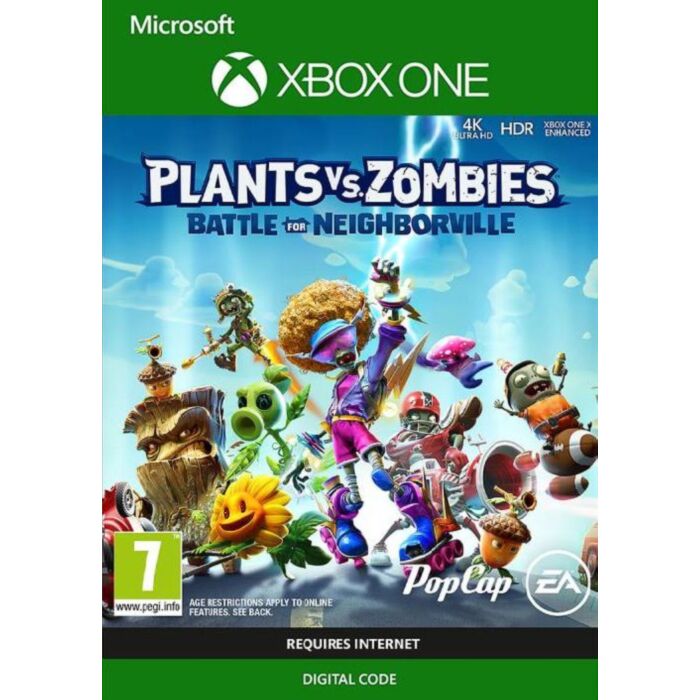
Welcome to Neighborville, where all is well. Except that a crazy new coniferous conflict between brain-less and botanicals is brewing! What are you gonna do – call the crops? Soil your plants? Prepare to kick some grass in a plant-on-zombie conflict that will take you to the outer edges of Neighborville and back again.
Customize Every Character for Battle Join the newest bloom in the age-old battle between plants and zombies with 20 fully customizable classes at launch, including a Team Play class for each faction. Bring the unique abilities of each character class to six PvP modes, including the new Battle Arena, and experience the unbeleafable thrills of combat.
Venture to the Outer Edges of Neighborville The tension across the terra has expanded with three free-roam regions and one PvE mode that extend beyond the town of Neighborville. Squad up with up to three friends in the Giddy Park social region and take back Weirding Woods, Mount Steep, and Neighborville Town Centre. It’s grow time!
Play with Your Favorite People, in Every Mode Join forces with other players to experience split-screen couch co-op in every mode. Connect with up to three players and battle through flourishing free-roam regions or jump into the fray with up to 24 players in online multiplayer across a gigantic suburban skirmish.
How to redeem a code on Xbox Series X|S and Xbox one
Press the Xbox button to open the guide, and then select Store.
Press the View button to open the side menu, and then select Redeem.
Enter the 25-character code, select Next, and then follow the prompts.
How to redeem a code from a PC or mobile web browser.
From a web browser, go to redeem.microsoft.com.
Enter the 25-character code, select Next, and then follow the prompts.
How to redeem a code in the Microsoft Store on Windows
Press the Start button , and then enter store into the search bar.
Choose Microsoft Store from the results to open the app.
Select your account in the top-right corner of the screen, and then select Redeem code or gift cards.
Enter the 25-character code, select Next, and then follow the prompts.
How to redeem a code in the Xbox app for Windows
Press the Start button , and then enter Xbox into the search bar.
Choose the Xbox app from the results to open the app.
Select your gamerpic in the top-left corner, and then select Settings.
Select Redeem under Redeem a code.
Enter the 25-character code, select Next, and then follow the prompts.
Note You can't redeem a code on the Xbox app for mobile at this time.
How to redeem a code on Xbox 360
Press the Guide button on your controller.
Select Games & Apps, and then select Redeem Code.
Enter the 25-character code, and then follow the prompts to complete your redemption.
| Gaming Genre | Family |
|---|---|
| PEGI Age Rating | 7+ |
| Platform | Microsoft |