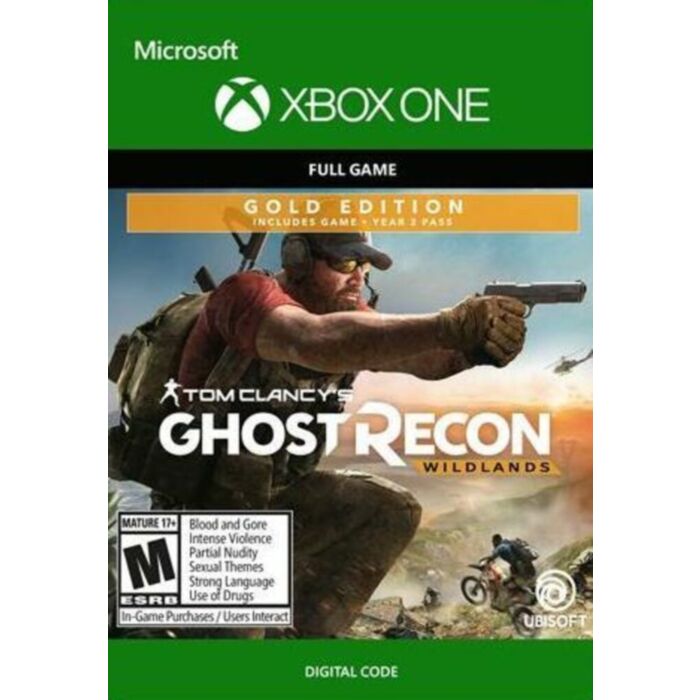
Tom Clancy’s Ghost Recon® Wildlands Year 2 Gold Edition
Upgrade your Tom Clancy's Ghost Recon® Wildlands experience with the Year 2 Gold Edition. Includes the main game and the Year 2 Pass.
Description
Try Ghost Recon Wildlands for free! Play online with your friends and explore the country for 5 hours by downloading the trial!
HDR enhanced for richer, more luminous colors.*
Create a team with up to 3 friends in Tom Clancy’s Ghost Recon® Wildlands and enjoy the ultimate military shooter experience set in a massive, dangerous, and responsive open world.
TAKE DOWN THE CARTEL In a near future, Bolivia has fallen into the hands of Santa Blanca, a merciless drug cartel who spread injustice and violence. Their objective: to create the biggest Narco-State in history.
BECOME A GHOST Create and fully customize your Ghost, weapons, and gear. Enjoy a total freedom of playstyle. Lead your team and take down the cartel, either solo or with up to three friends.
Upgrade your Tom Clancy's Ghost Recon® Wildlands experience with the Year 2 Gold Edition. Play however you choose in this open world military shooter with seamless 4-player co-op. Includes the main game and the Year 2 Pass.
Create a team with up to 3 friends in Tom Clancy’s Ghost Recon® Wildlands and enjoy the ultimate military shooter experience set in a massive, dangerous, and responsive open world. You can also play PVP in 4v4 class-based, tactical fights: Ghost War.
How to redeem a code on Xbox Series X|S and Xbox one
Press the Xbox button to open the guide, and then select Store.
Press the View button to open the side menu, and then select Redeem.
Enter the 25-character code, select Next, and then follow the prompts.
How to redeem a code from a PC or mobile web browser.
From a web browser, go to redeem.microsoft.com.
Enter the 25-character code, select Next, and then follow the prompts.
How to redeem a code in the Microsoft Store on Windows
Press the Start button , and then enter store into the search bar.
Choose Microsoft Store from the results to open the app.
Select your account in the top-right corner of the screen, and then select Redeem code or gift cards.
Enter the 25-character code, select Next, and then follow the prompts.
How to redeem a code in the Xbox app for Windows
Press the Start button , and then enter Xbox into the search bar.
Choose the Xbox app from the results to open the app.
Select your gamerpic in the top-left corner, and then select Settings.
Select Redeem under Redeem a code.
Enter the 25-character code, select Next, and then follow the prompts.
Note You can't redeem a code on the Xbox app for mobile at this time.
How to redeem a code on Xbox 360
Press the Guide button on your controller.
Select Games & Apps, and then select Redeem Code.
Enter the 25-character code, and then follow the prompts to complete your redemption.
| Gaming Genre | Action/Adventure |
|---|---|
| PEGI Age Rating | 18+ |
| Platform | Microsoft |